
GE Predix APM — Log File Viewer
Part of GE Digital’s Predix APM (Asset Performance Management) suite — a log inspection tool used to search, filter, and validate operational logs for industrial assets, aiding in troubleshooting and context selection.
Problem & Solution
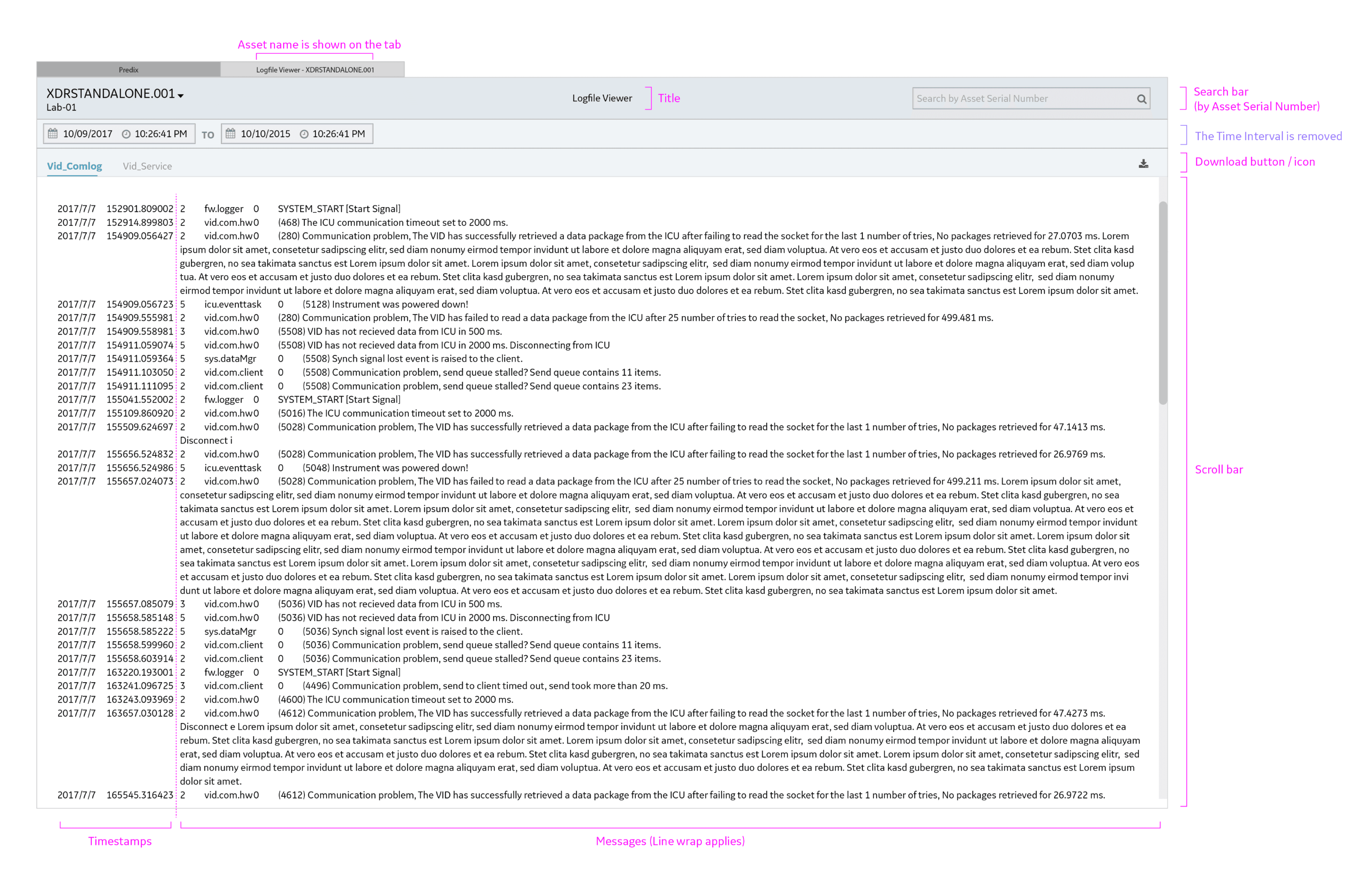
Challenge 1: Log readability
Raw log files displayed long, unwrapped lines where timestamps, service IDs, and message content blended together. This made logs difficult to scan, compare, and troubleshoot—especially for field engineers working under time pressure.
Solution:
Introduced line wrapping and a clearer visual separation between timestamps, service identifiers, and log messages. This structure improves scannability and allows engineers and clients to quickly parse critical information without losing context.
Challenge 2: Asset context across tabs
When multiple log viewer tabs were open, asset context was missing from the tab label, making navigation confusing and error-prone for clients managing multiple assets.
Solution:
Added the asset name directly to each tab, giving users immediate context and making it easier to switch between assets with confidence.
Log Error Handling
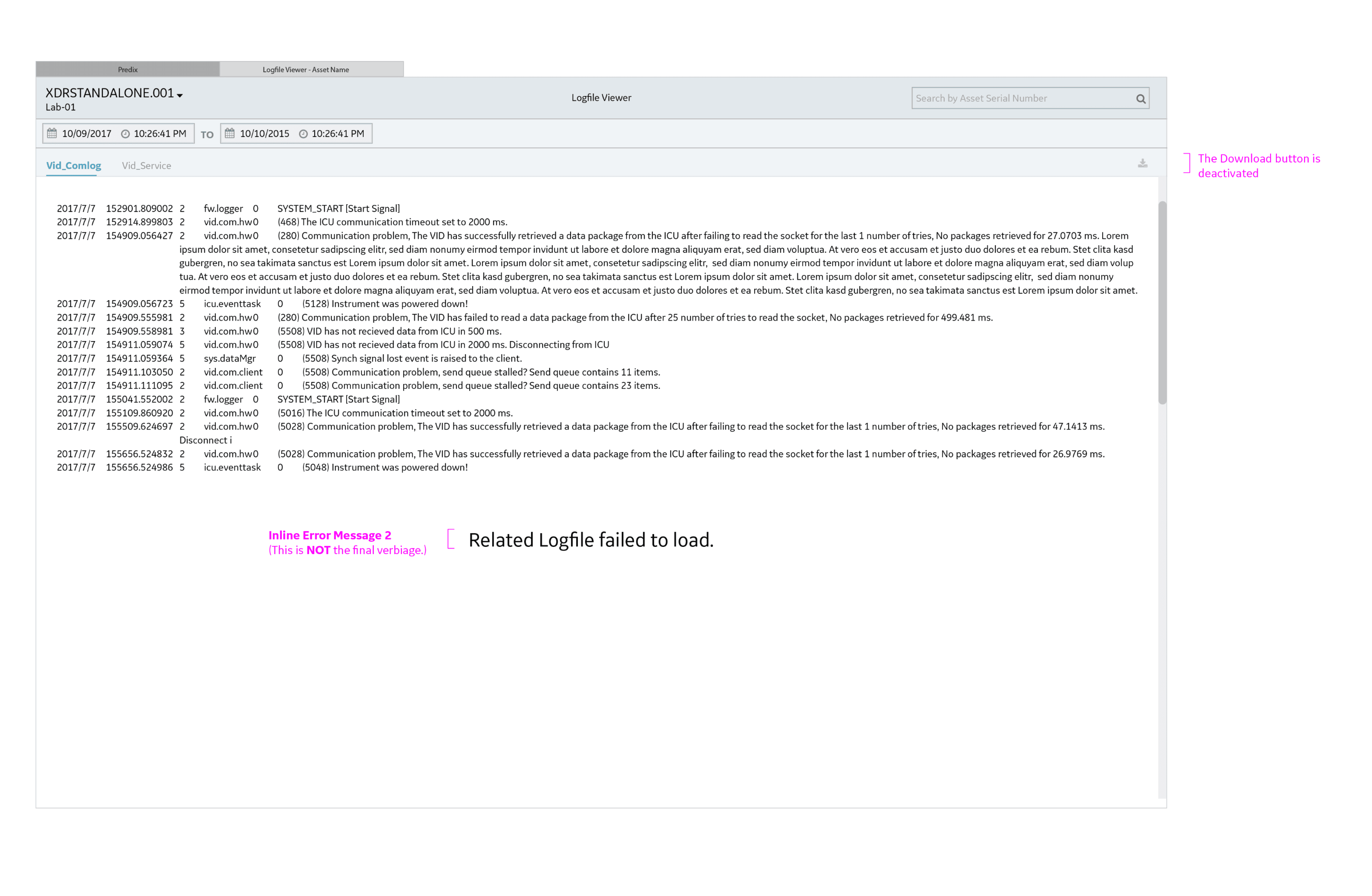
Challenge:
When a related log file fails to load, users had no clear feedback and could unknowingly download incomplete or corrupted data.
Solution:
Display a clear error message: “Related log file failed to load.”
Disable the download action to prevent users from exporting incomplete logs and making incorrect decisions based on partial data.
Serial Number Search — States & Behaviors
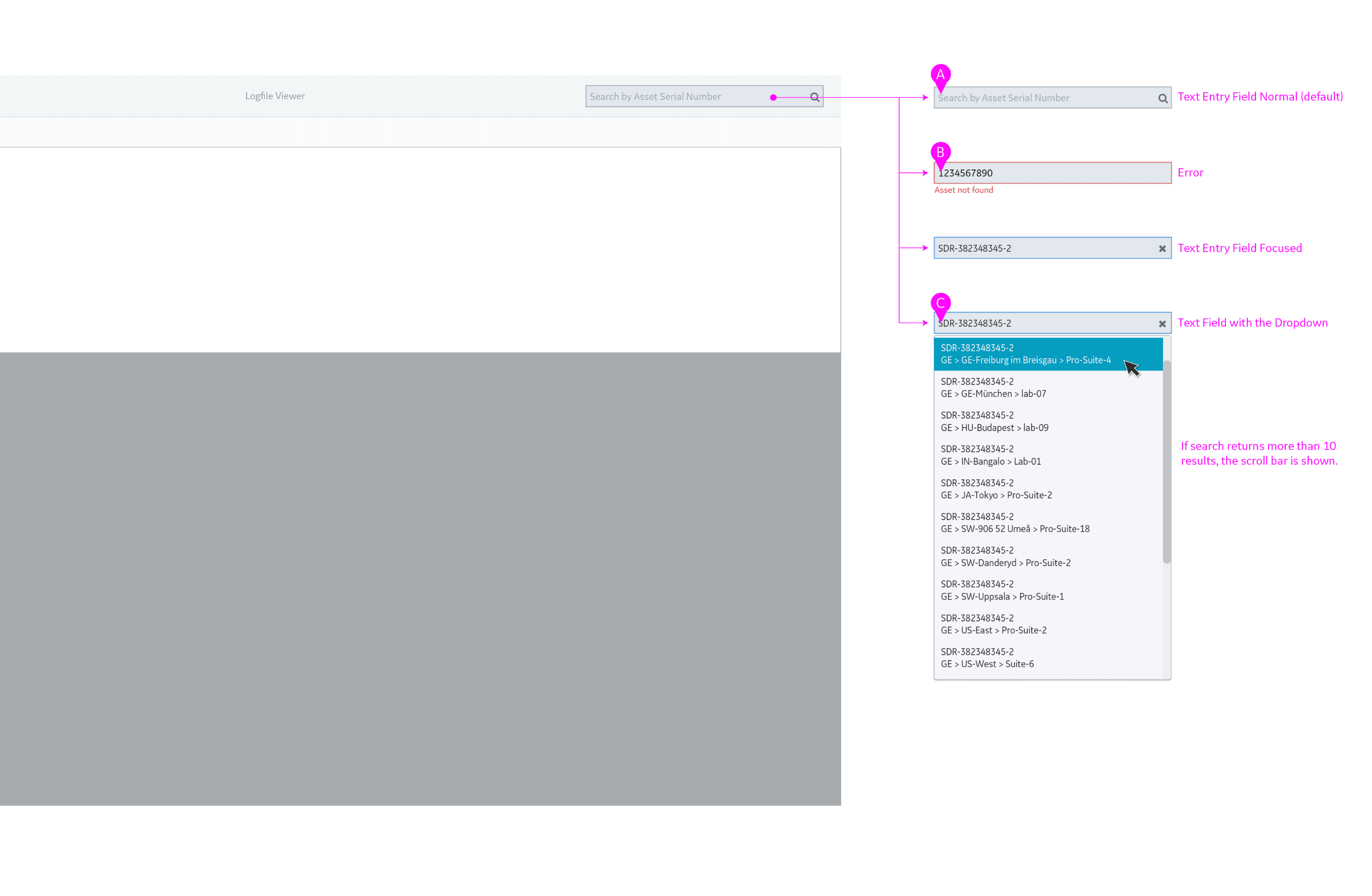
When empty, the Search by Serial Number field provides hint text indicating where to enter an asset serial number.
If no matching serial number is found, the input field is highlighted in red and an error message is displayed below.
If the entered serial number returns multiple matches, a list of results is shown beneath the field, allowing the user to select the correct asset and establish context.
Even when the entered serial number returns a single match, the result is displayed below and requires explicit user selection to confirm context.
Batch Monitoring Personas:
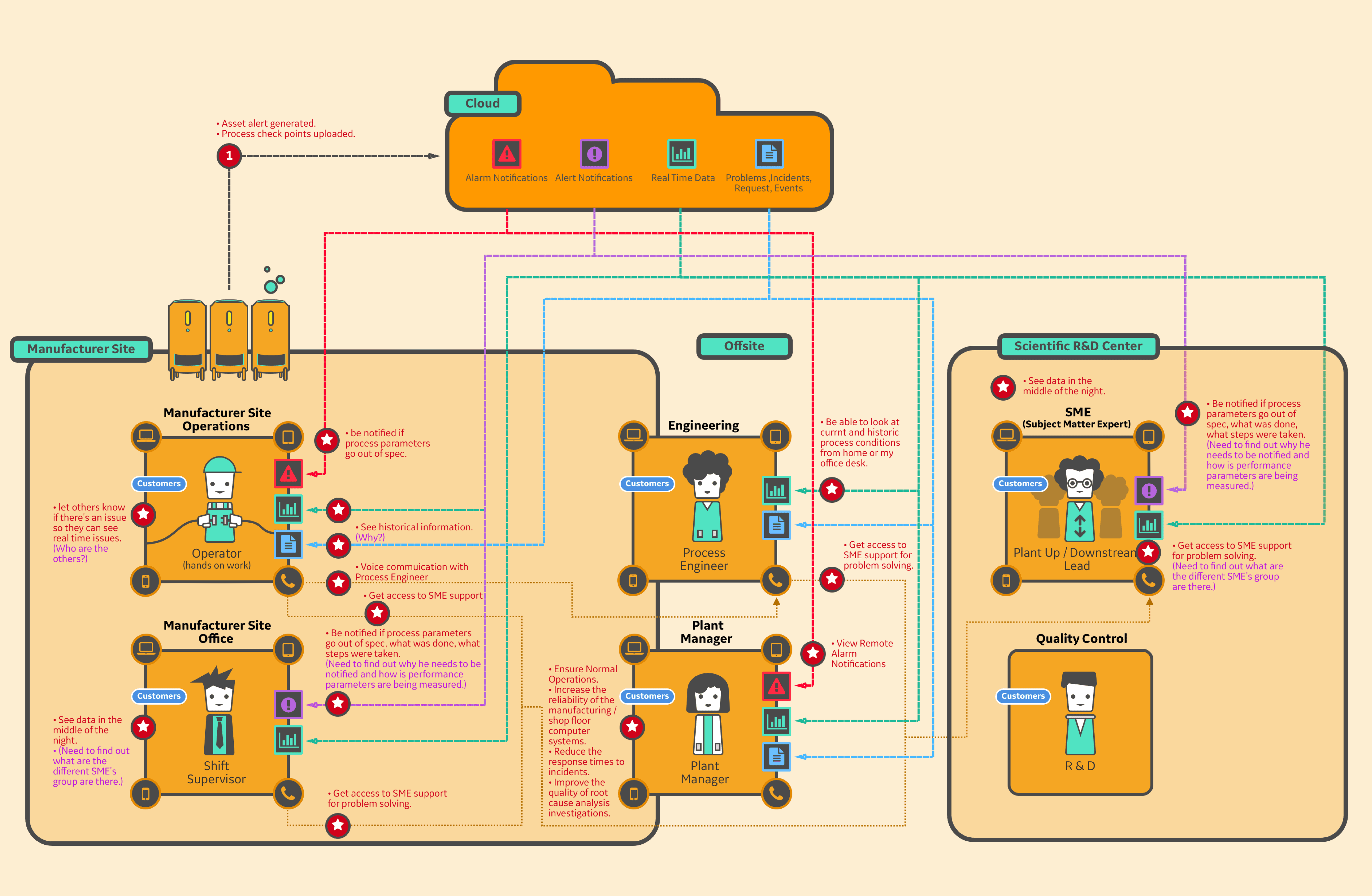
Aligning Manufacturing, Engineering, and R&D Around Real-Time Process Visibility
Created a multi-role persona model to clarify how batch monitoring data and alerts are consumed across manufacturing operations, engineering, and R&D. The personas revealed key needs around real-time visibility, historical context, and SME collaboration, directly informing system requirements for notifications, escalation paths, and remote access to improve operational reliability and response time.
Batch Monitoring Fundamentals: Defining Core Process Variables and Thresholds
Established a shared understanding of key batch monitoring concepts—set points, tolerances, and process variables—to align product, engineering, and domain experts before feature development.
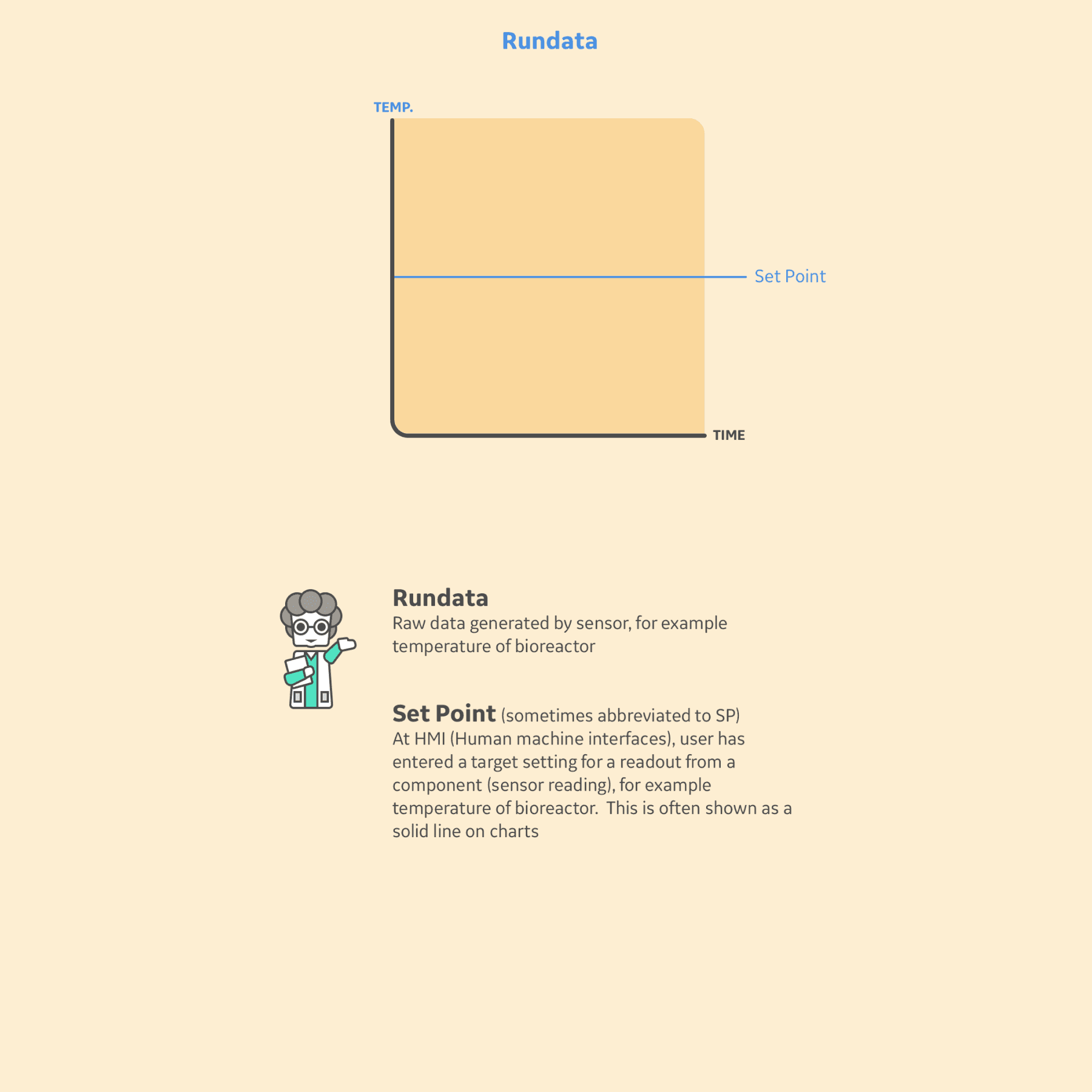
Introduced the baseline relationship between raw sensor data and target set points to ground users in how process performance is measured over time.
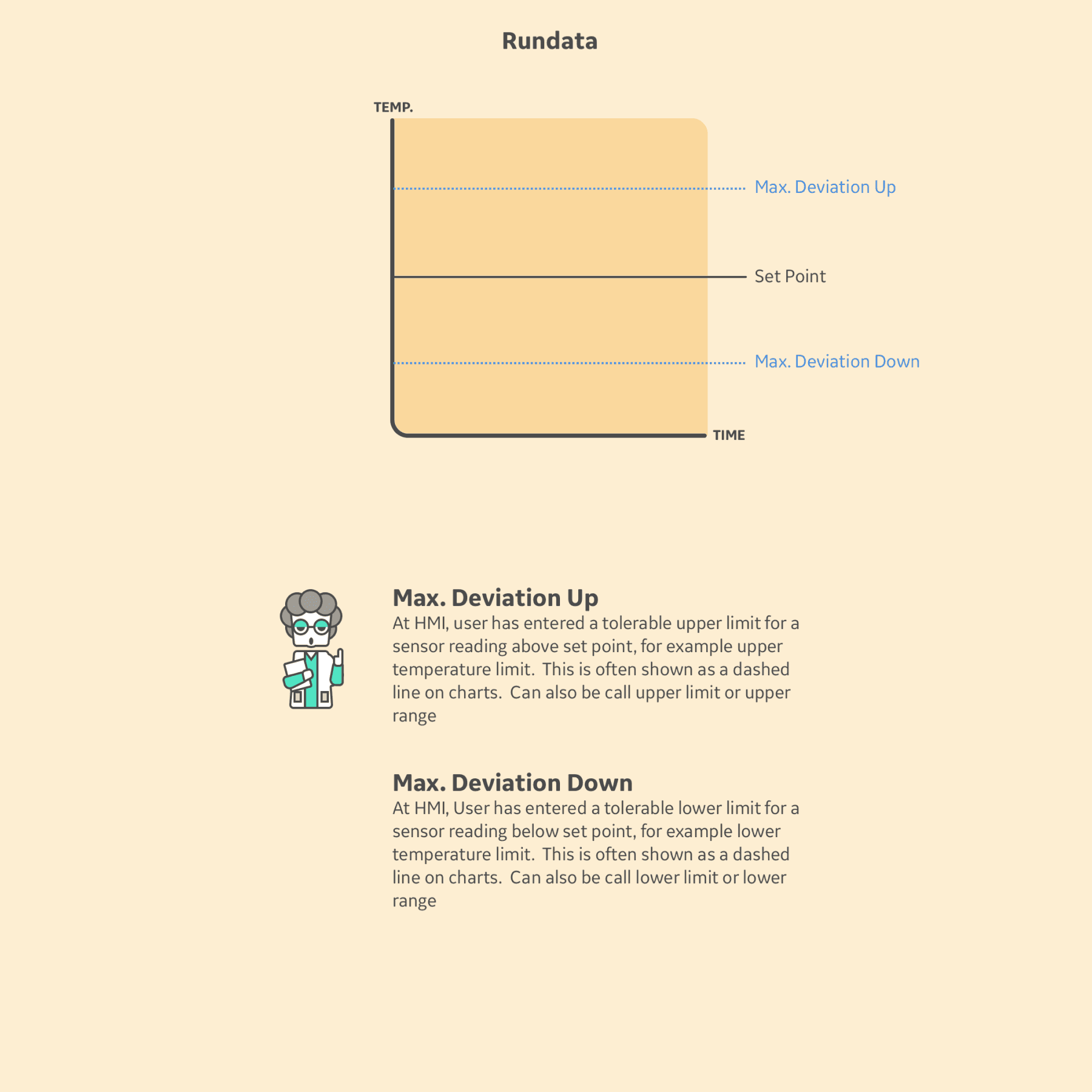
Visualized upper and lower tolerance limits to clarify how acceptable process variation is defined and monitored.
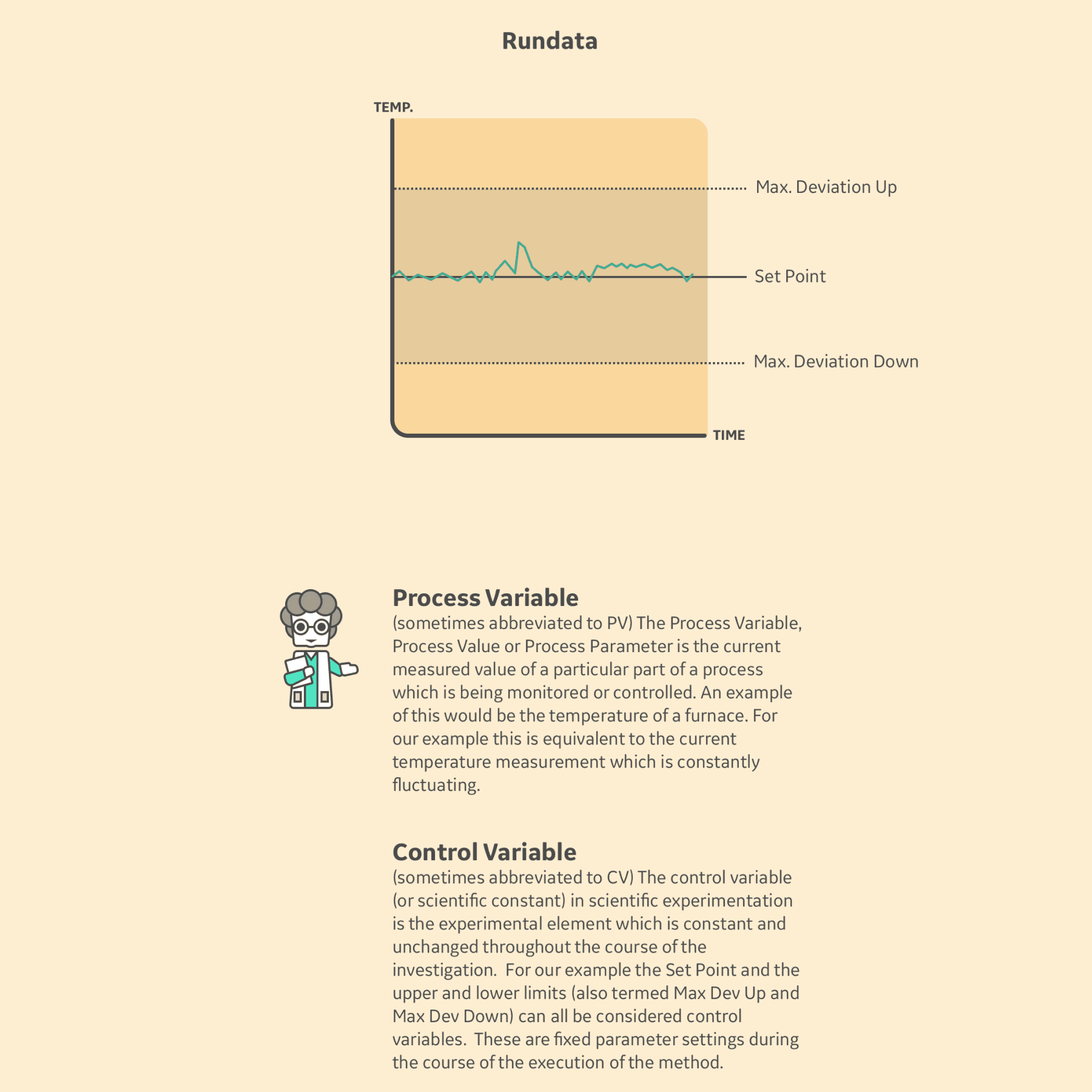
Explained the distinction between measured process behavior and fixed control parameters to reduce ambiguity in alerts and decision-making.
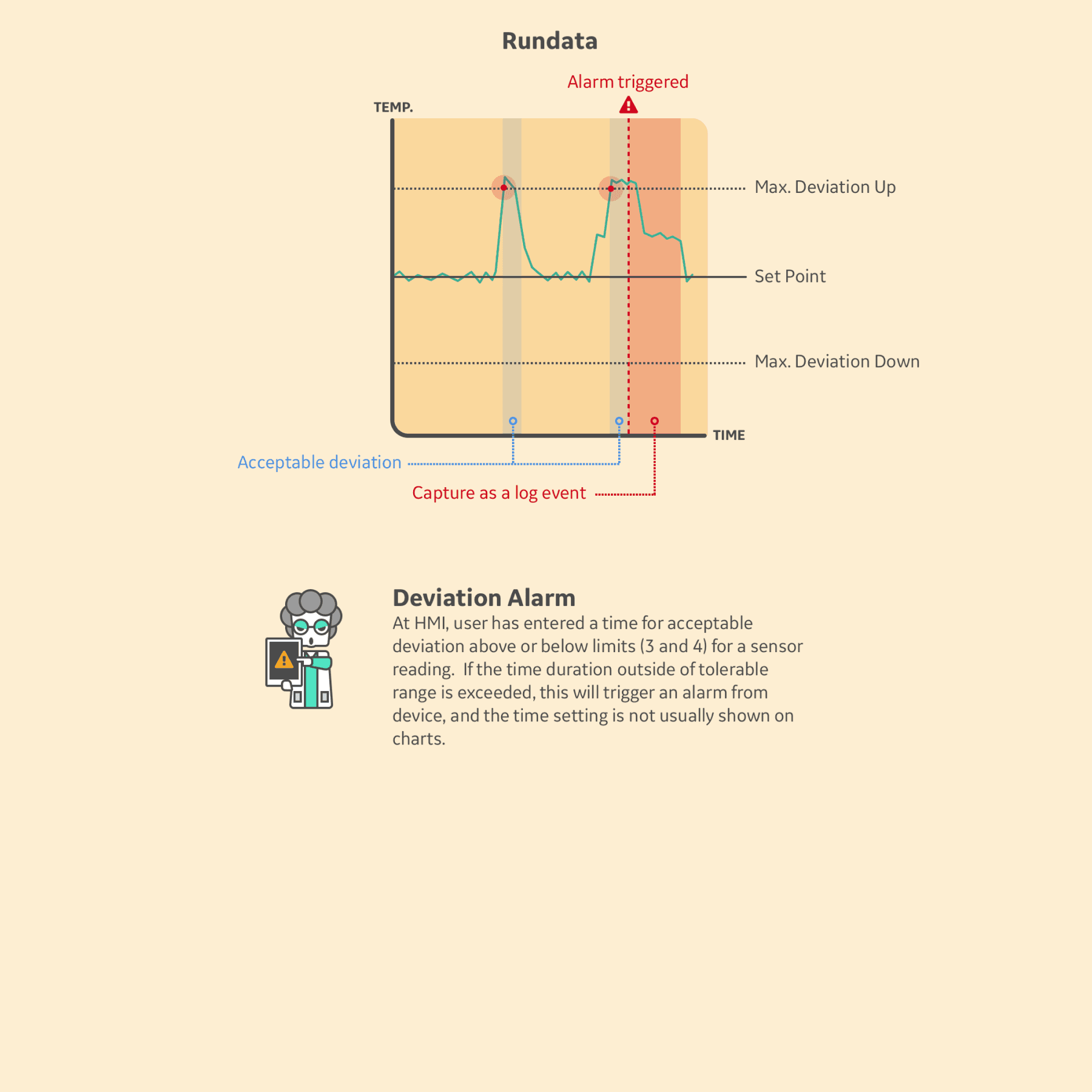
Illustrated how sustained deviation beyond defined thresholds triggers alarms and is captured as a log event for investigation and traceability.
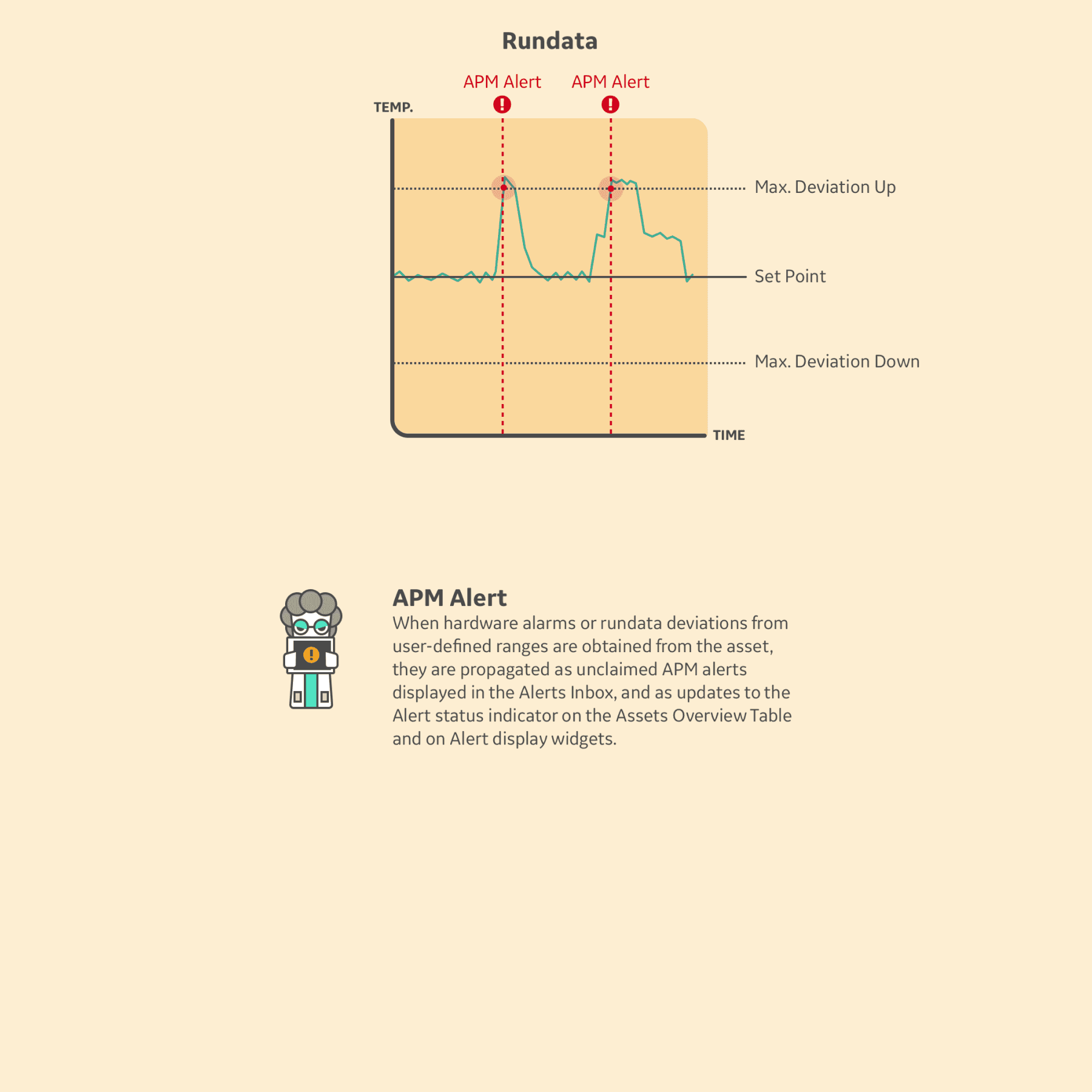
Showed how device-level alarms and data deviations propagate into APM alerts to surface issues across monitoring dashboards and alerting surfaces.
Illustrated how sustained deviation beyond defined thresholds triggers alarms and is captured as a log event for investigation and traceability.
Together, these concepts define how process data becomes actionable signals across monitoring, logging, and alerting systems.
© 2026 Crafted by Adam Kung